Tracker
Plan the sprint.See what is actually moving.
Projects, issues and sprints in one place, so a small team knows who owns what and what ships next.

instead of ClickUp, Jira, Trello
From backlog to done
A board for the running sprint
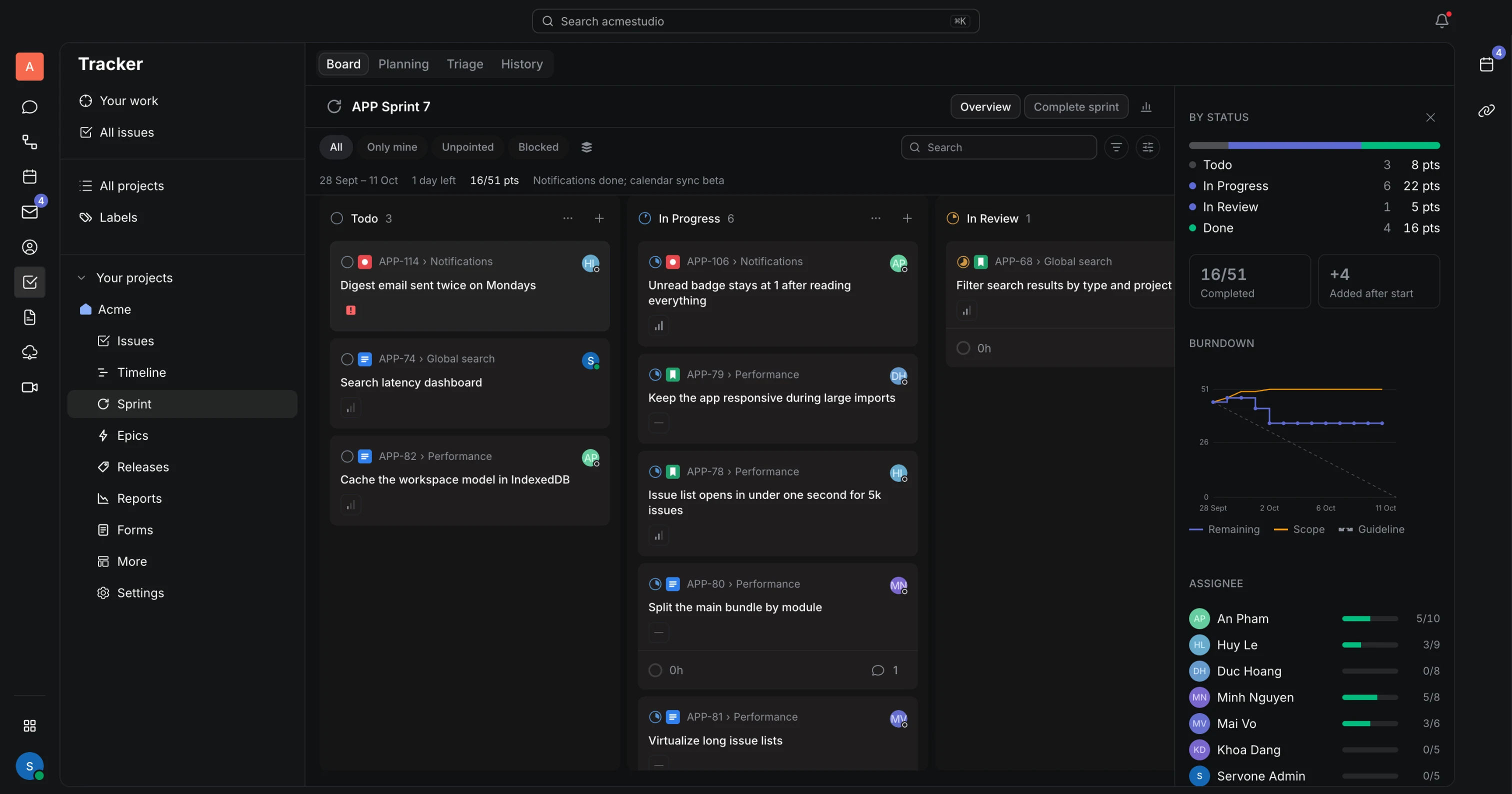
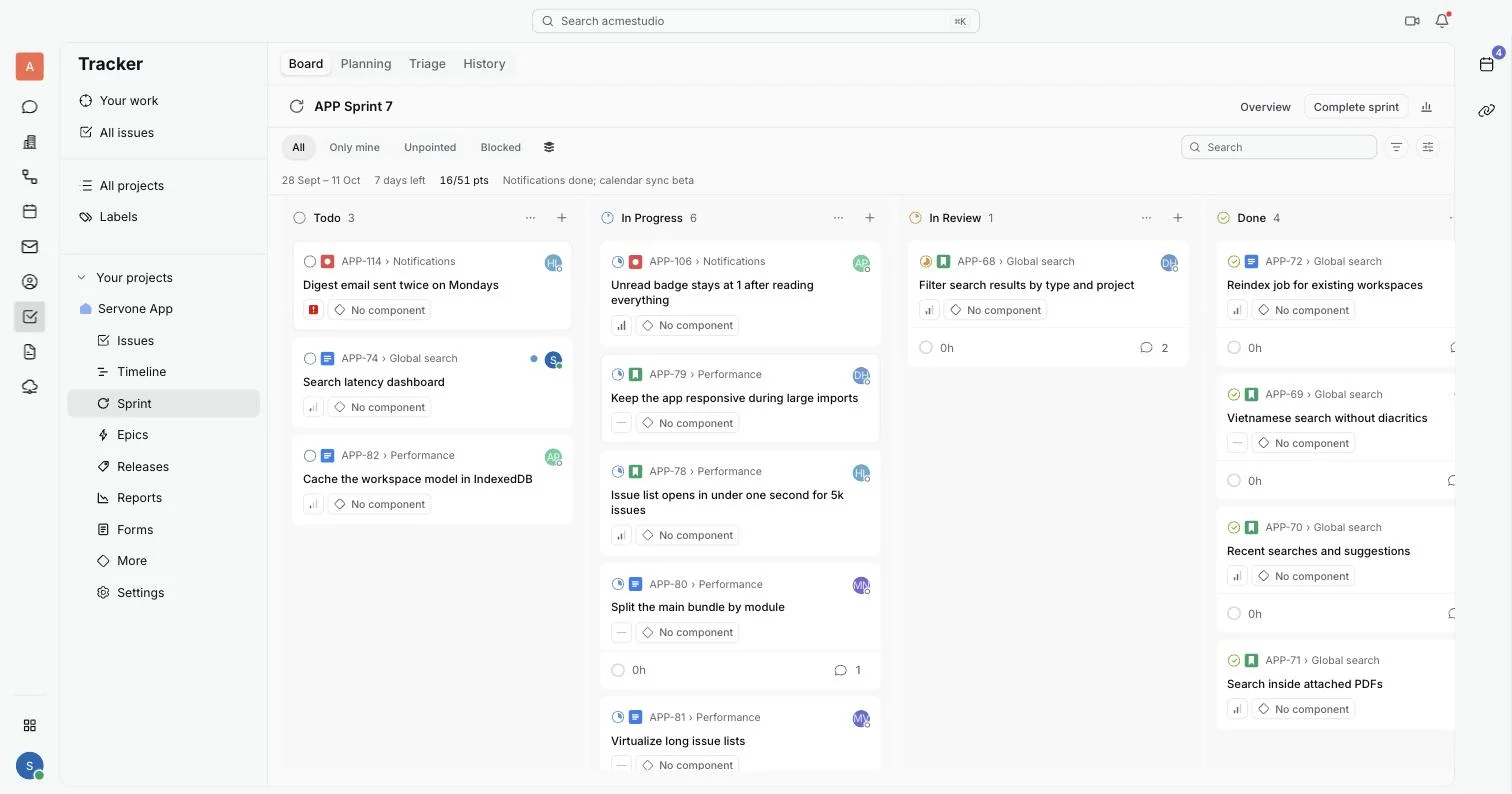
The Board tab shows the sprint with one column per status. Filter to your own issues, and watch days left and points done in the header.
Issues with an owner and a status
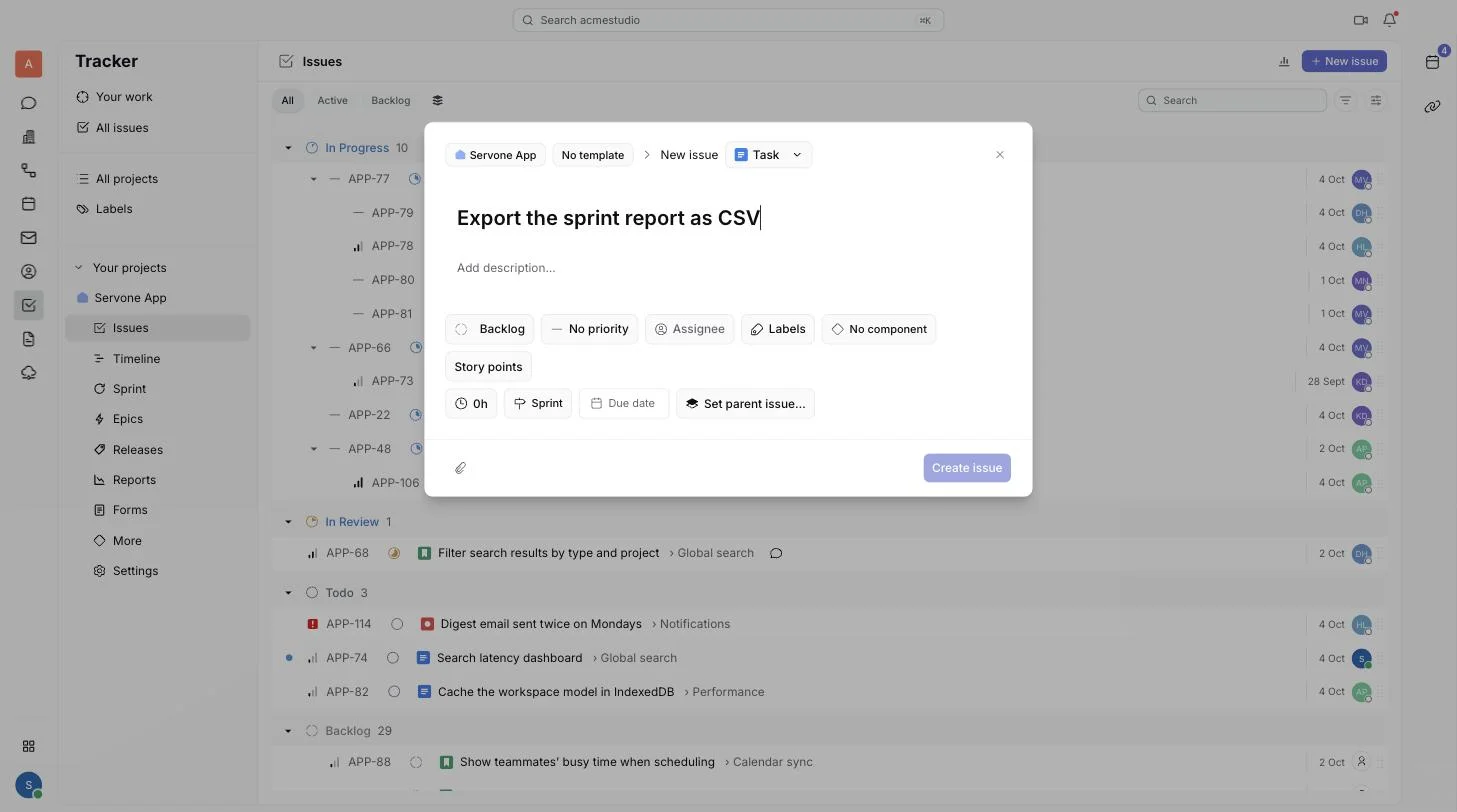
Set a priority, assignee, due date and estimate on each issue. Split big work into sub-tasks and see how many are done.
Plan sprints from the backlog
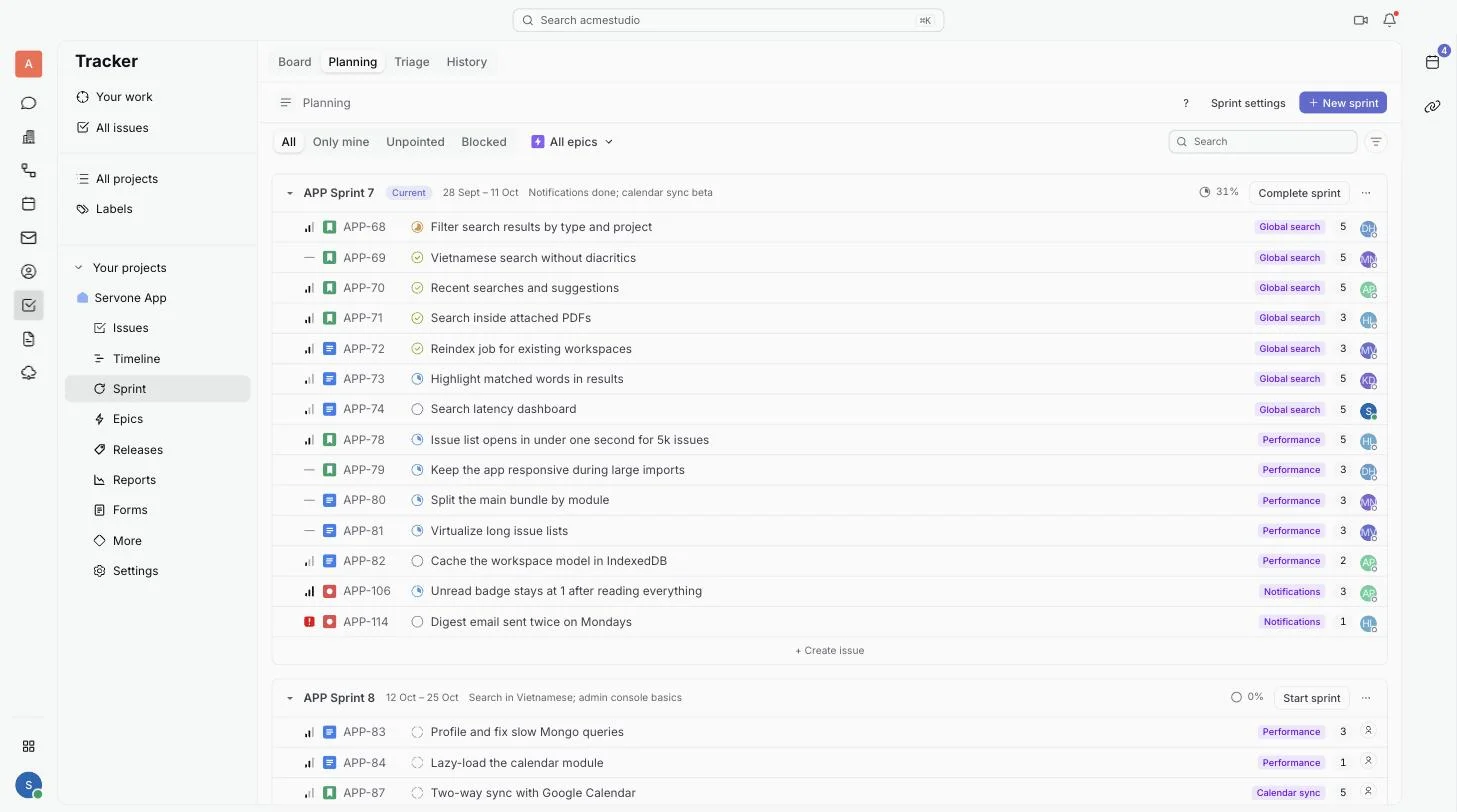
Drag issues from the backlog into a sprint and start it with a goal and a length. When time is up, open work moves to the next sprint or back to the backlog.
And the small things
- Sprint reports
- Burndown, burnup, cumulative flow, velocity and cycle time for each sprint.
- Epics and timeline
- Group work under epics and see it as bars by week, month or quarter.
- Releases
- Group the issues that ship together, then mark the release when it goes out.
- Triage
- One list of backlog items that still need an estimate or an epic.
- Your estimate scale
- Story points in Fibonacci, T-shirt sizes or 0 to 10, or no points at all.
- Keyboard shortcuts
- Change status, assign, estimate and move issues to a sprint without the mouse.
Questions
Bring your team to one place
Free while in beta. Invite teammates right after you sign up.
Sign up free